![corsmed_no_clear_space_@16x-1.png]](https://help.corsmed.com/hs-fs/hubfs/corsmed_no_clear_space_@16x-1.png?height=40&name=corsmed_no_clear_space_@16x-1.png)
Add a new course
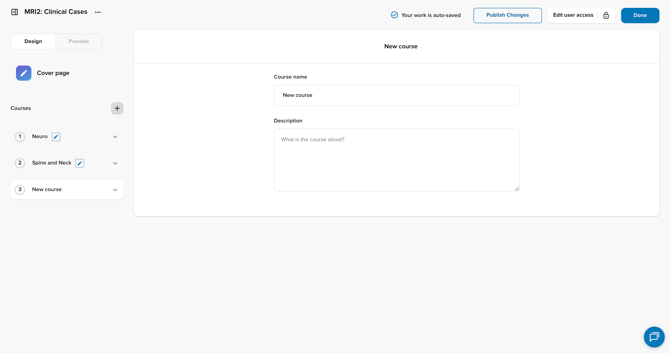
- In the Program Editor, go to the left sidebar.
- Click the + icon next to the Courses heading.
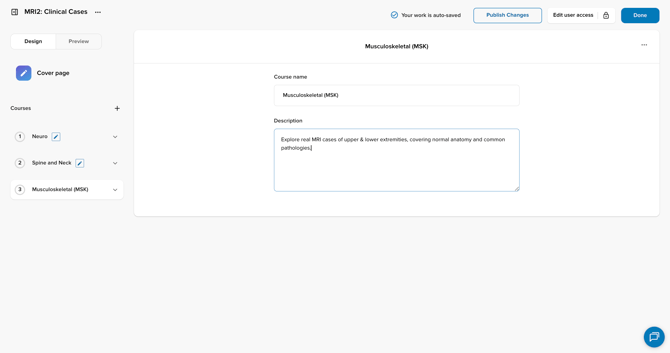
- Enter the course name and course description.
- You can update these details at any time.
Open the course to add modules
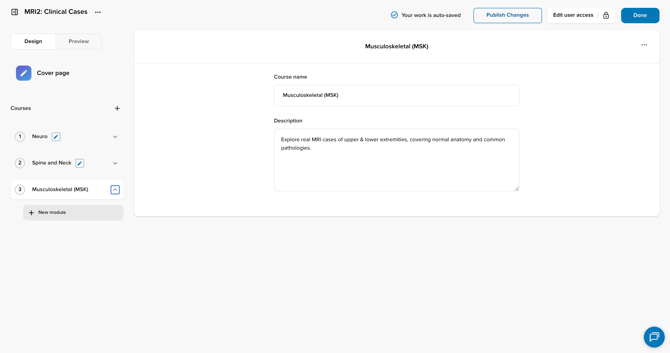
- Click the arrow next to your newly created course to expand it.
- Click + Create a module.
Choose a module type
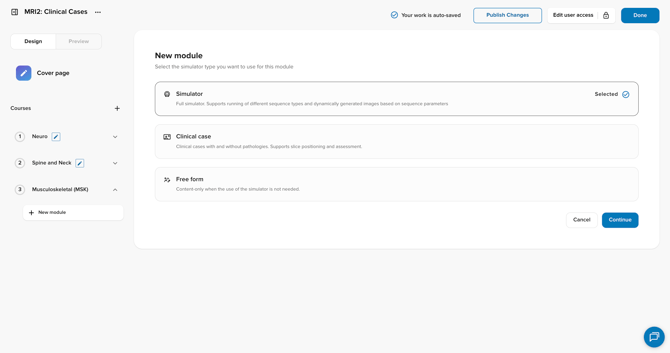
- Select the module type you want to add:
- Simulator: full simulator experience; supports multiple sequence types and dynamically generated images based on parameters.
- Clinical case: real clinical scenarios with or without pathology; supports slice positioning and assessment.
- Free form: content-only modules for when the simulator isn’t needed.
- Click Continue to add the module.
Conclusion
You've learned how to add a course to your program and create your first module.