![corsmed_no_clear_space_@16x-1.png]](https://help.corsmed.com/hs-fs/hubfs/corsmed_no_clear_space_@16x-1.png?height=40&name=corsmed_no_clear_space_@16x-1.png)
Manage scanner settings
- In the simulator header, click Scanner settings.
- View the scanner settings available for the anatomical model you selected.
- Adjust the scanner settings you want, then click the X to close the panel when you’re done.
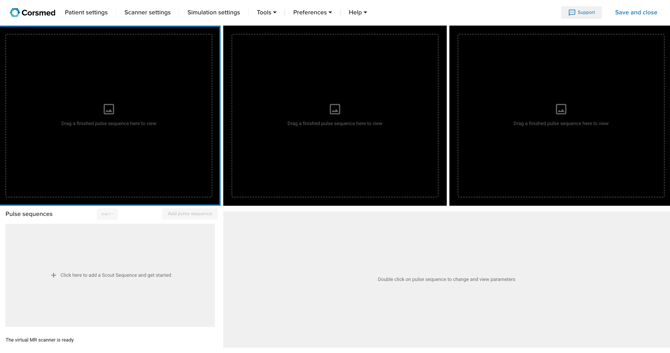
Available scanner settings differ between models (for example, between brain and knee).
Available scanner settings
Below are all scanner settings that may appear depending on the selected anatomical model.
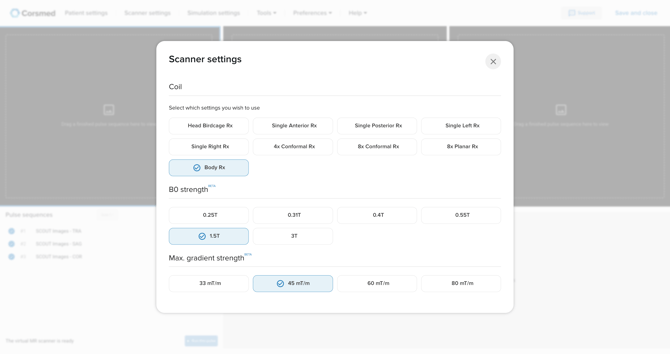
Coils
Choose the coil configuration used for receiving MR signals. Coils vary by anatomical model.
Basic / Advanced selects between two types of signal- and distribution maps. Advanced allows for signal outside the area of decay. Basic is recommended as default.Coil options
Neuro coils
Receiver coils designed to provide focused, high-quality signal coverage of the head and brain, offering different geometries and channel counts to balance anatomical coverage, SNR, and flexibility for neuro imaging applications.
- Head birdcage Rx: 1-channel coil – circumferential coverage
- Single anterior Rx: 1-channel coil – activates anterior elements only
- Single posterior Rx: 1-channel coil - activates posterior elements only
- Single left Rx: 1-channel coil - activates left elements only
- Single right Rx: 1-channel coil - activates right elements only
- 4× conformal Rx: 4-channel conformal coil array – circumferential coverage
- 8× conformal Rx: 8-channel conformal coil array – circumferential coverage
- 8× planar Rx: 8-channel planar coil array – circumferential coverage
Spine coil
-
Spine coil Rx: 32-channel coil, optimized for cervical, thoracic, and lumbar spine imaging across the available anatomical models
Extremity coils
- Elbow coil array: 24-channel coil, optimized for elbow imaging
- Foot coil array: 20-channel coil, optimized for foot and ankle imaging
- Hand coil array: 16-channel coil, optimized for hand, wrist, and finger imaging
- Knee coil array: 32-channel coil, optimized for knee imaging
- Shoulder coil array: 48-channel coil, optimized for shoulder imaging
Cardiac coil
-
Cardiac coil Rx: 34-channel coil, optimized for cardiac imaging
Body coil
-
Body Rx: built-in single-channel transmit/receive body coil used for signal transmission and reception during scanning.
Magnetic Field Strength (B₀)
Change the field strength of the scanner to see how it affects contrast, SNR, and scan characteristics. B₀ vary by anatomical model. Options include:
- 0.25 T
- 0.31 T
- 0.4 T
- 0.55 T
- 1.5 T
- 3 T
Maximum Gradient Strength (mT/m)
Adjust the maximum gradient amplitude to explore its effect on scan performance. mT/m vary by anatomical model. Options include:
- 33 mT/m
- 45 mT/m
- 60 mT/m
- 80 mT/m
Conclusion
You've learned how to access and adjust scanner settings in the Corsmed MRI Simulator to select the appropriate settings for the anatomical model you’re working with.