![corsmed_no_clear_space_@16x-1.png]](https://help.corsmed.com/hs-fs/hubfs/corsmed_no_clear_space_@16x-1.png?height=40&name=corsmed_no_clear_space_@16x-1.png)
Manage simulation settings
- In the simulator header, click Simulation settings.
- View the simulation settings available for the anatomical model you selected.
- Adjust the simulation settings you want, then click the X to close the panel when you’re done.
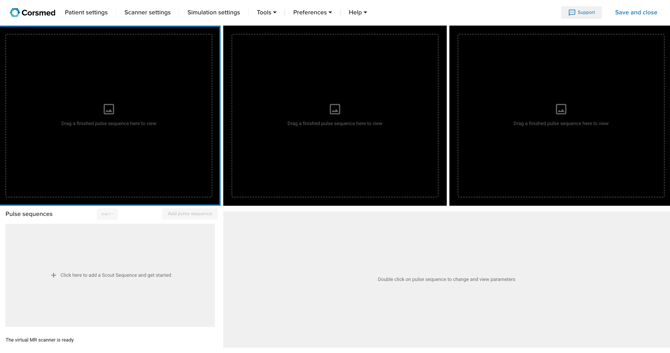
Available simulation settings differ between models (for example, between brain and knee).
Available simulation settings
Below are all simulation settings that may appear depending on the selected anatomical model.
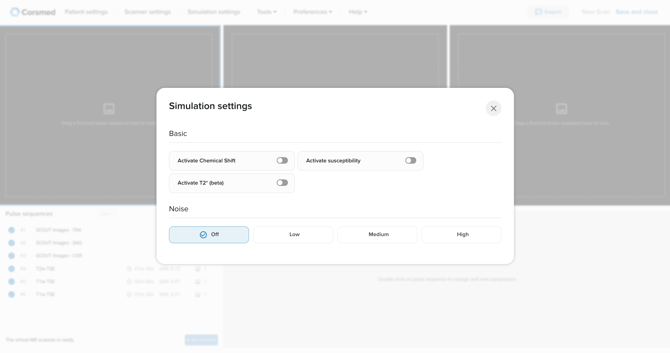
Noise
Simulate different levels of noise in the image.
- Off
- Low
- Medium
- High
Physiological motion
Simulate natural body motion during scanning.
- On / Off
Chemical shift
Simulate frequency differences between fat and water, which may cause spatial misregistration. This option enables chemical shift as an artifact.
- On / Off
Susceptibility
Simulate magnetic field distortions caused by tissue interfaces or foreign materials.
- On / Off
T2*
Inhomogeneities in the main magnetic field are simulated to increase T2* signal.
- On / Off
Conclusion
You've learned how to adjust simulation settings in the Corsmed MRI Simulator and select the appropriate options for the anatomical model you’re working with.