![corsmed_no_clear_space_@16x-1.png]](https://help.corsmed.com/hs-fs/hubfs/corsmed_no_clear_space_@16x-1.png?height=40&name=corsmed_no_clear_space_@16x-1.png)
Open your profile preferences
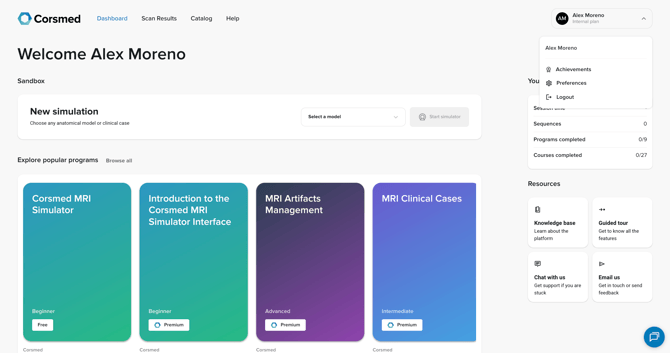
- From the Dashboard, click your profile icon in the top-right corner.
- Select Preferences from the dropdown menu.
Change your password
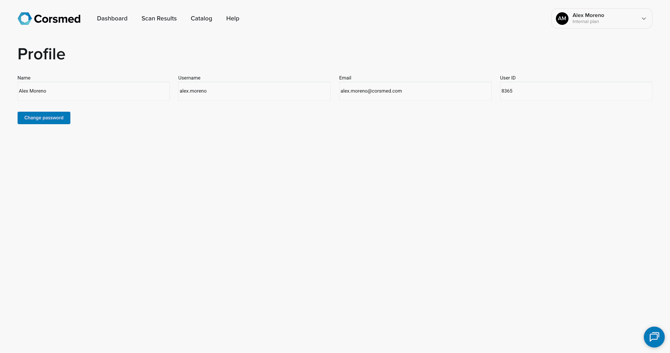
- Click Change password.
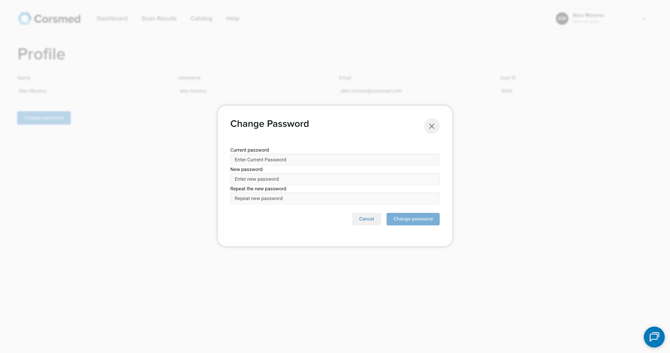
- In the pop-up window, enter:
- Your current password
- Your new password
- Your new password again to confirm
- Click Change password to save your update.
Conclusion
You've successfully updated your password.