![corsmed_no_clear_space_@16x-1.png]](https://help.corsmed.com/hs-fs/hubfs/corsmed_no_clear_space_@16x-1.png?height=40&name=corsmed_no_clear_space_@16x-1.png)
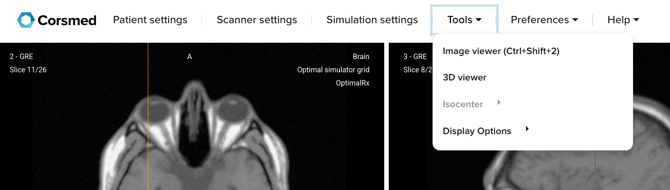
Open the image viewer
- In the Corsmed MRI Simulator, click Tools in the simulator header.
- Select Image Viewer from the dropdown menu.
Download an MR image
- Locate the MR image you want to download.
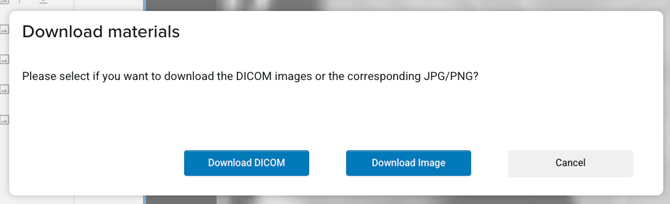
- Click the download icon next to the image.
- Choose the format you want:
- DICOM
- JPG / PNG
The image will download to your device in the selected format.
Conclusion
You've downloaded an MR image from the Corsmed MRI Simulator and can use it for review, sharing, or further analysis.