![corsmed_no_clear_space_@16x-1.png]](https://help.corsmed.com/hs-fs/hubfs/corsmed_no_clear_space_@16x-1.png?height=40&name=corsmed_no_clear_space_@16x-1.png)
- Open the simulator from your module or dashboard.
- From the dashboard, ensure you select the anatomical model you want to scan in the sandbox. For example, hand and wrist.
- Click in the Pulse Sequence List (gray area) to add scout sequences, there are three available:
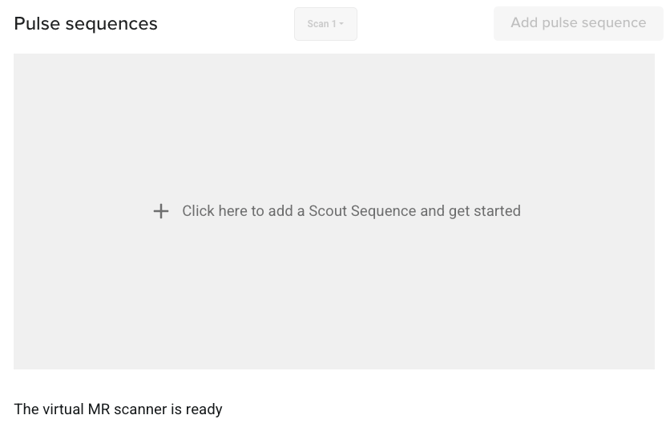
- TRA – Transverse / Axial
- SAG – Sagittal
- COR – Coronal
- Click Run all to execute the scout sequences.
- Once the sequences have run, your scout images are generated.
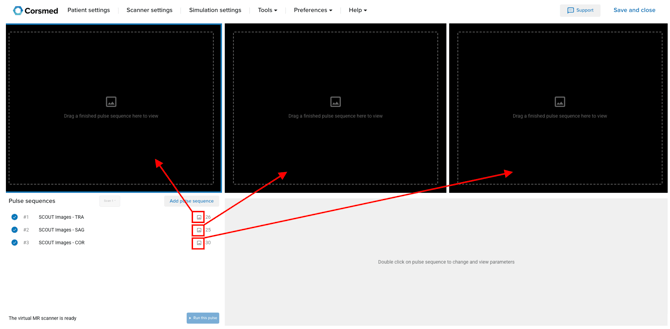
To view the results, drag each scout image via the image icon into a viewport.
If you want to change the anatomical model you are working on, and therefore update your scout images, you can use the Isocenter tool. This allows you to reposition the scan area and generate new scout images accordingly. Click here to learn more.