![corsmed_no_clear_space_@16x-1.png]](https://help.corsmed.com/hs-fs/hubfs/corsmed_no_clear_space_@16x-1.png?height=40&name=corsmed_no_clear_space_@16x-1.png)
Access the course specific library
- Open the Corsmed MRI Simulator.
- Click Add Pulse Sequence.
- Select the Course Specific Library.
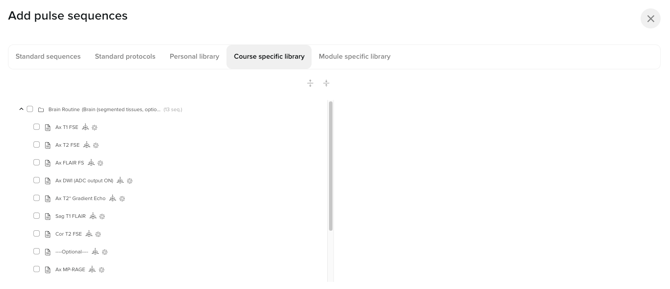
Course specific library overview
The Course Specific Library is designed to support structured learning in a Program → Course → Module framework.
You’ll typically use this library when your instructor wants you to work with specific sequences or protocols aligned with learning objectives in a program or course.
- It is created and managed by instructors and Corsmed.
- It is automatically available to you when you’re enrolled in a program or course.
- The content applies to all modules within the course, ensuring consistency across your learning activities.
Conclusion
You’ve learned how to access the Course Specific Library, what it’s used for and its role in your learning using the Corsmed MRI Simulator.