![corsmed_no_clear_space_@16x-1.png]](https://help.corsmed.com/hs-fs/hubfs/corsmed_no_clear_space_@16x-1.png?height=40&name=corsmed_no_clear_space_@16x-1.png)
How to switch organizations
- Click your profile in the top right corner.
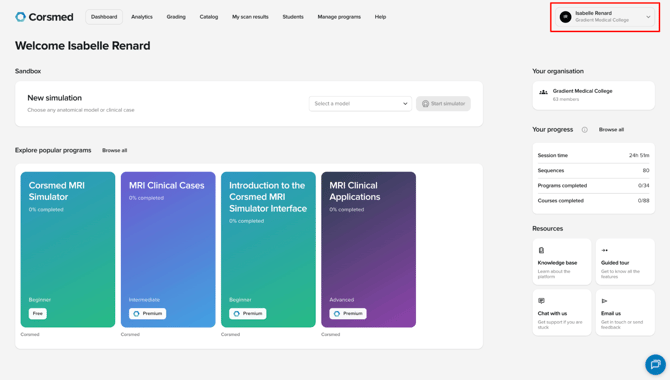
- You'll see the organizations you're part of.
- The checkmark shows which one you're currently in. In this case, Gradient Medical College.
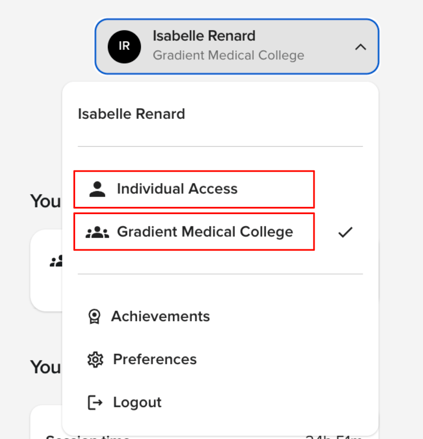
- The checkmark shows which one you're currently in. In this case, Gradient Medical College.
- Click the organization you want to switch to.
What the access types mean
Individual access: Everyone has individual access. It can be free or premium, depending on your account.
Organization access: If you're part of a college or clinic with its own organization (in the example above, Gradient Medical College), you'll find that organization's environment in your profile too. Your access type there is independent of your other environments.